01
PRICE UPDATESChange prices without opening every product.
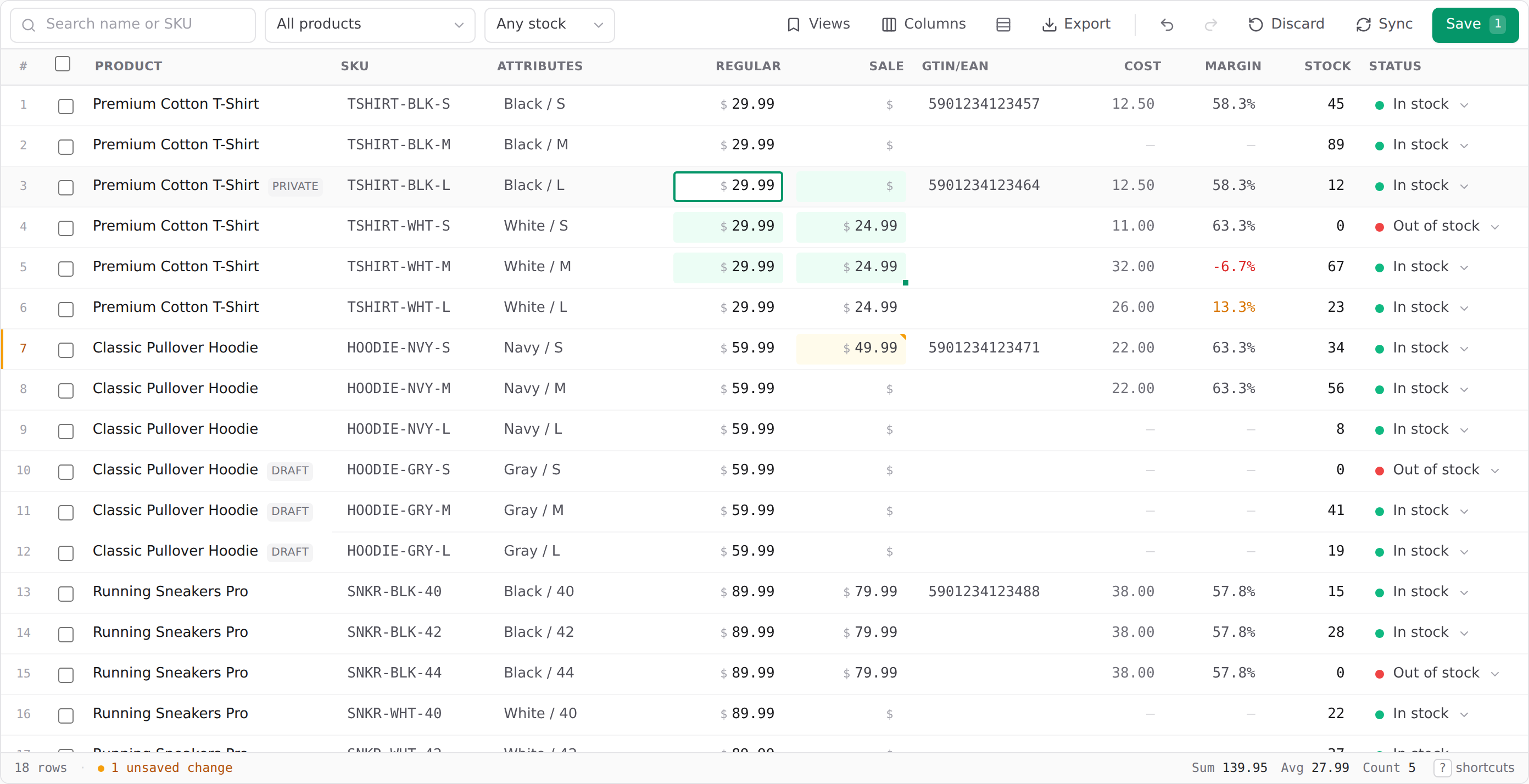
Filter your catalogue, edit cells directly, or apply a bulk rule to selected rows.
Change prices, stock and SKUs across your WooCommerce store in one spreadsheet. Every edit stays visible until you review and save it.
Work across products in one place instead of repeating the same edit across dozens of WooCommerce screens. The grid keeps the details visible while you make decisions.
Filter your catalogue, edit cells directly, or apply a bulk rule to selected rows.
Find low and out-of-stock items in one view, then make the changes that matter.
Copy a column of prices, SKUs or stock counts and paste it straight into the grid.
Connect your WooCommerce store, pull in your catalogue, and make changes with a clear review step before anything is saved.
Start freeEnter your store address and approve the connection in WooCommerce. A manual API key option is available.
Search, filter and edit directly in the grid. Use bulk tools for repetitive changes.
Check pending edits and resolve conflicts before Vario writes confirmed changes to your store.
Bulk edits should feel controlled. Vario shows what changed, catches common mistakes and keeps a record of work done in your store.
Vario checks prices, SKUs and stock before a save reaches WooCommerce.
See which fields and products changed before you confirm the update.
Change history records edits, with rollback available for supported changes.
Approve access inside your own WooCommerce admin. Your WordPress password is never entered into Vario.
How connection worksConnect your store on the free plan, even if it has a larger catalogue. Vario imports the first 50 variations; the rest stay untouched in WooCommerce until you upgrade.
$0 / month
A practical way to get started, with no time limit.
$9 / month
The full workspace, without a variation limit.
Take a look in the demo, or read how Vario works with your store.
Try without signing upUsually no. Enter your store address and approve Vario inside your own WooCommerce admin. Manual keys are available if you prefer them or if one-click connection cannot be used.
Vario checks your edits, shows a review of what changed and checks for conflicts with newer changes in WooCommerce before writing your confirmed updates.
Yes. You can connect a larger store on Free, but Vario imports only the first 50 variations. The rest stay unchanged in WooCommerce until you upgrade. The demo needs no account.
Get a feel for the grid first, then connect your store when you are ready.